
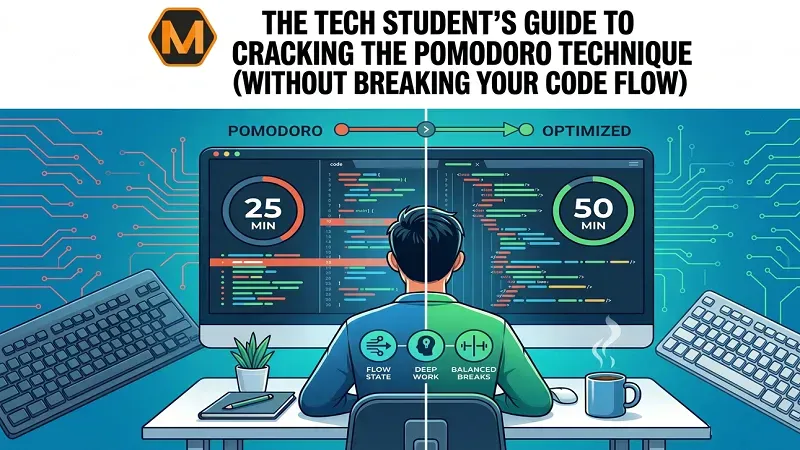
Every programmer knows the feeling. You are deep in the zone, tracing a complex logic path through dozens of lines of code, and your variables are finally aligning perfectly in your head. Suddenly, a sharp beep goes off. Your 25-minute timer is up. It is time for a mandatory five-minute break.
You step away from your desk, stretch, grab a glass of water, and sit back down. But when you look at your screen, the magic is gone. The intricate mental map you built has completely vanished. You are back at square one, staring at a screen of raw text, trying to remember what your loop was supposed to do.
For software engineering and computer science students, traditional productivity hacks often feel like they do more harm than good. Standard time management advice is usually built for people who write emails, fill out spreadsheets, or read textbooks, tasks that can easily be paused and restarted.
However, writing code requires deep work for software engineers, an uninterrupted state of concentration where your brain functions like temporary computer memory (RAM). When you force a hard stop every 25 minutes, you clear that mental memory, forcing yourself to rebuild momentum repeatedly.
If you want to master developer flow state while avoiding severe burnout, you need to rethink how productivity systems apply to programming. For students balancing technical assignments with electives, managing study time strategically becomes essential for maintaining both performance and mental focus. In particularly demanding semesters, some students also explore online assignment help to better manage deadlines and reduce academic pressure while staying focused on core technical subjects.
The Friction Between Coding and the 25-Minute Clock
The classic Pomodoro technique, invented by Francesco Cirillo in the late 1980s, relies on a simple premise: work for 25 minutes, rest for five, and repeat. This rhythmic pacing is excellent for reducing procrastination because it makes difficult tasks feel less overwhelming.
However, programming places very different demands on the brain.
When you sit down to build an application, fix a broken database migration, or write a complex algorithm, your first 15 to 20 minutes are often spent simply loading context into your brain. You revisit files, read logs, trace dependencies, and rebuild an understanding of how different parts of the system interact.
If your timer goes off just after you finally understand the problem, the method starts working against you. Instead of helping you stay productive, repeated interruptions create frustration and force you to mentally restart your work every session.
Why the Standard Workflow Fails for Programmers
| Workflow Phase | Traditional Task (Essay Writing) | Programming Task (Debugging Code) |
|---|---|---|
| Warm-Up Time | 5–10 minutes reviewing prompts | 15–20 minutes rebuilding code context |
| Execution Style | Linear progression | Non-linear logic tracing |
| Interruption Cost | Low and easy to resume | Extremely high cognitive reset |
| Ideal Focus Window | 25–30 minutes | 50–90 minutes |
This comparison highlights why many developers struggle with traditional productivity systems.
Introducing the “Double Pomodoro” Blueprint (50/10 Rule)
To make time-blocking effective for programming, many students benefit from extending the traditional Pomodoro cycle into a longer focus period.
Instead of stopping every 25 minutes, the 50/10 Rule suggests:
Standard Pomodoro:
25 minutes work → 5 minutes break → repeat
Double Pomodoro:
50 minutes deep work → 10 minutes recovery
A 50-minute session gives your brain enough runway to load code context, solve problems, debug logic, and test solutions without the pressure of a timer interrupting momentum.
It also supports the developer flow state while still creating healthy boundaries that prevent long, exhausting coding marathons.
During these focus blocks, distractions should be minimized. Keep your phone face down, close unnecessary browser tabs, and silence communication platforms.
Treat this period as protected deep-work time where your only goal is solving the programming challenge in front of you.
Micro-Sprinting: How to Break Down Monolithic Tasks
Even with a longer 50-minute focus window, productivity can still collapse if your goal is too broad. Writing “work on final project” on your to-do list may sound productive, but in reality, it creates confusion and mental resistance.
In programming, vague goals often lead to analysis paralysis. You sit in front of your screen scrolling through documentation, forums, or debugging threads without knowing where to begin. According to understandingblogs, structured planning and focused execution can significantly improve productivity and reduce overwhelm during complex assignments.
Before starting your timer, break your assignment into smaller, independent tasks that can realistically be completed in under an hour. This process is called micro-sprinting, and it helps transform overwhelming projects into manageable milestones.
Bad Goal
“Work on backend database.”
Better Goal
“Create the user schema, set up password hashing, and test the registration endpoint.”
The more specific your task, the easier it becomes to start working immediately. Instead of wasting energy deciding what to do next, you move from one achievable objective to another, creating momentum throughout your deep-focus session.
Handling the Midnight Oil: When the Logic Simply Breaks
Every computer science student eventually reaches a breaking point.
It is 2 AM, a project deadline is approaching, and your code refuses to cooperate. You have spent multiple 50-minute sessions staring at the same error message, and your concentration starts fading.
At this stage, continuing without a strategy often becomes counterproductive.
Recognizing when your brain has reached its limit is part of becoming an effective engineer. Sometimes the best decision is stepping back, taking a proper break, or seeking another perspective on the problem.
When coding frustration builds for too long, logic becomes harder to process, and even small mistakes begin to feel impossible to solve. Resetting your mind can often help you identify solutions much faster than forcing another exhausted session.
What to Do During Your 10-Minute Break
The success of a modified Pomodoro system depends heavily on how you use your breaks.
One common mistake students make is switching from coding to another screen, opening social media, watching videos, or scrolling endlessly on their phones. This does not give the brain proper recovery time.
Instead, your break should focus on a mental and physical reset.
Step Away
Move away from your desk completely. Physically changing environments helps refresh attention.
Give Your Eyes Rest
Look out a window or focus on distant objects to reduce eye strain caused by prolonged screen exposure.
Move Your Body
Stretch your neck, wrists, shoulders, and lower back to relieve physical tension from sitting for long periods.
Hydrate and Refuel
Drink water or eat a healthy snack to maintain focus and energy levels.
Result: Better Mental Processing
Interestingly, many programming breakthroughs happen during breaks rather than during active coding. A short walk or quiet moment often gives the subconscious mind enough space to connect missing pieces of logic.
Managing Programming Tasks Alongside General Electives
Computer science students rarely focus on coding alone.
Alongside programming assignments, there are usually essays, lab reports, presentations, and reading-heavy subjects that demand different kinds of mental energy.
Trying to use the exact same productivity system for every subject can quickly become exhausting.
A smarter approach is separating study methods based on task type:
- Programming tasks: Use longer 50-minute deep work sessions
- Essays and reading: Use shorter 25-minute Pomodoro cycles
- Administrative tasks: Handle these between major focus blocks
This strategy keeps technical work protected while making general education tasks feel more manageable.
Optimizing Your Environment for Extended Focus
A 50-minute coding session requires strong concentration, and your environment plays a major role in maintaining it.
A poorly arranged setup creates discomfort that breaks focus before your session even ends.
Minimize Hardware Friction
Position your keyboard and mouse comfortably to reduce wrist strain during long coding sessions.
Keep your monitor at eye level to avoid neck pain and fatigue caused by constantly looking downward.
A comfortable workspace supports longer periods of uninterrupted concentration.
Control Digital Notifications
Before beginning a focus session, activate focus mode or use application blockers to eliminate distractions.
Notifications may seem small, but every interruption shifts attention away from your task. Even briefly checking a message can break deep work momentum.
The fewer distractions you allow, the easier it becomes to maintain flow.
The Long-Term Benefits of Sustainable Pacing
A modified productivity system does more than improve assignment completion; it builds habits that benefit your long-term career in technology.
Preventing the “Code Burnout” Cycle
Many tech students fall into an unhealthy pattern.
They spend one day coding intensely for 10–12 hours and then feel mentally exhausted for the next several days.
This inconsistency slows progress and damages motivation.
The 50/10 method creates structure, helping students maintain steady performance without reaching exhaustion.
Building Better Estimation Skills
Professional developers constantly estimate how long tasks will take.
By working in structured focus sessions, students develop a better understanding of how much coding, debugging, and testing can realistically be completed in a set timeframe.
This skill becomes valuable in internships, group projects, and professional environments.
Consistency Trumps Intensity
The best productivity framework is not necessarily the most extreme one; it is the one you can consistently maintain.
If a 50-minute session feels overwhelming at first, start with 40 minutes and gradually increase your focus window over time.
The goal is not perfection.
The goal is to protect your concentration while still giving your mind regular recovery periods.
Over time, consistency will always outperform short bursts of unsustainable effort.
Conclusion: Build Your Flow, Don’t Break It
Programming is fundamentally different from ordinary academic work.
It demands deep concentration, mental continuity, and uninterrupted problem-solving.
Traditional productivity systems often fail developers because they interrupt the very state of focus needed to solve complex technical problems.
By adapting the Pomodoro method into a longer, more flexible structure, students can write cleaner code, reduce burnout, and create healthier study habits.
Protect your focus, structure your sessions intentionally, and build a workflow that supports how your brain actually works.
Frequently Asked Questions
Why does the standard 25-minute Pomodoro cycle fail for coding?
Programming requires building a mental map of systems, dependencies, and logic. Since this process often takes 15–20 minutes, interruptions arrive just as deep concentration begins.
What is a better alternative for technical subjects?
A 50-minute focus session followed by a 10-minute break works better because it matches the natural pace of coding and debugging.
How should I spend my breaks?
The most effective breaks involve stepping away from screens, stretching, hydrating, or taking a short walk.
How can I stop feeling overwhelmed before coding?
Break large assignments into smaller, clearly defined micro-tasks so that each session has one realistic, achievable objective. See More